
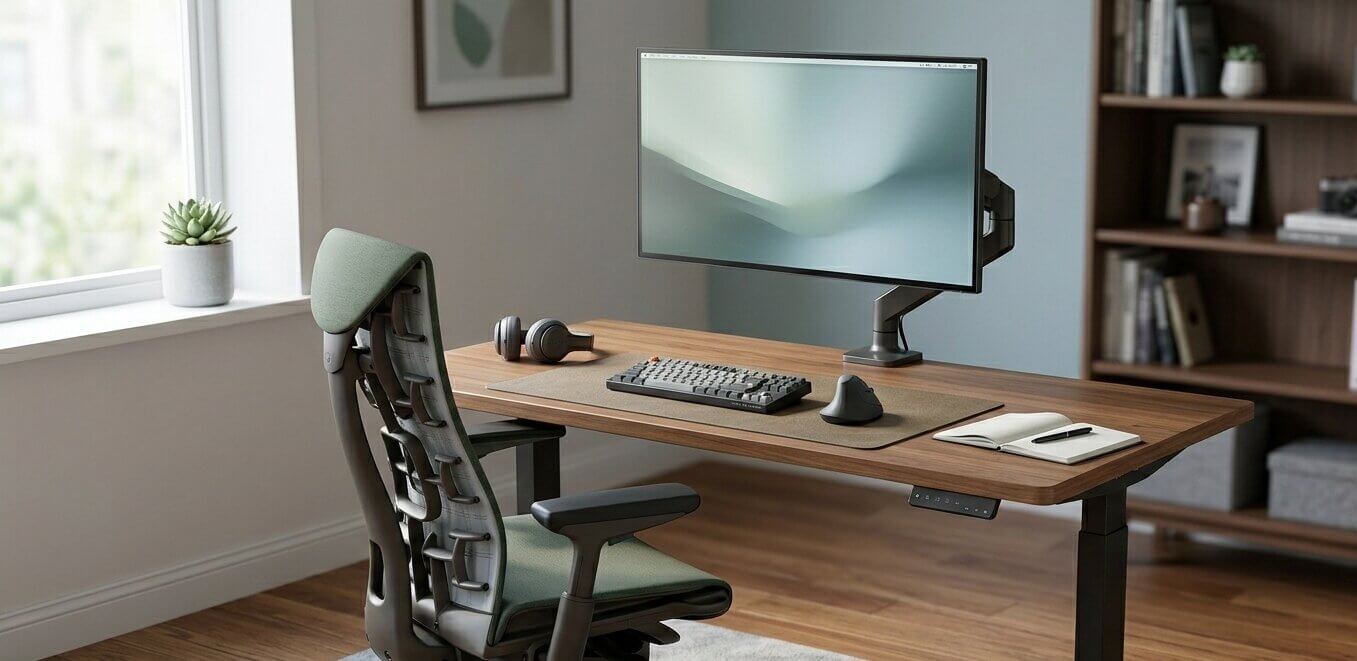
Ergonomic Desk Setup: A Step-by-Step Guide to a Pain-Free Workspace
February 28th, 2026 | Office Furniture Blog
If you spend six or more hours a day at a desk, your setup is either supporting your body or slowly working against it. Neck stiffness, lower back pain, sore wrists. These aren’t just minor annoyances. They’re signs that your workstation needs attention.
An ergonomic desk setup aligns your furniture, equipment, and posture so you can work comfortably and productively without risking long-term injury. According to OSHA, proper ergonomic interventions can reduce musculoskeletal disorders by up to 60% and improve productivity by as much as 20%.
The good news? Most fixes are simple. Here’s how to build an ergonomic desk setup from the ground up.
Start With the Right Desk
Your desk is the foundation of your entire workstation. The ideal desk height allows your forearms to rest parallel to the floor while typing, with your elbows bent at roughly 90 degrees. For most people, that means a desk surface around 28–30 inches high.
If your desk is too high, you’ll shrug your shoulders upward, creating tension in your neck and upper back. Too low, and you’ll hunch forward, compressing your spine.
The best solution is a height-adjustable desk that lets you alternate between sitting and standing throughout the day. Research from the CDC found that sit-stand desks reduced upper back and neck pain by 54% when employees cut sitting time by just over an hour daily. Even if a standing desk isn’t an option, make sure your fixed desk can be modified with a keyboard tray or desk riser to achieve proper alignment.
Browse our full collection of office desks →
Dial In Your Chair
Your chair does the heavy lifting for posture support. Here’s what to aim for:
- Seat height: Your feet should rest flat on the floor with your knees bent at approximately 90 degrees. If your chair is too high, use a footrest.
- Lumbar support: The chair’s backrest should follow the natural curve of your lower spine. If it doesn’t, add a lumbar cushion.
- Armrests: Position them so your shoulders stay relaxed and your elbows rest comfortably at your sides.
- Seat depth: Leave a 1–2 inch gap between the front edge of the seat and the back of your knees to avoid restricting circulation.
A well-built ergonomic chair is one of the highest-ROI investments you can make for your workspace. Studies have shown that employees provided with ergonomic seating experienced up to a 17.8% increase in productivity.
Related: Are Ergonomic Office Chairs Worth the Cost?
Position Your Monitor Correctly
Poor monitor placement is one of the most common — and most overlooked — ergonomic mistakes. A screen that’s too low forces you to tilt your chin down, straining your neck. Too high, and you’ll extend your neck backward, leading to tension headaches and shoulder tightness.
Follow these guidelines:
- Place your monitor directly in front of you, about an arm’s length away (20–26 inches).
- The top of the screen should sit at or slightly below eye level.
- Tilt the screen back 10–20 degrees so it faces your natural line of sight.
- If you use a laptop, invest in an external monitor or a laptop stand paired with a separate keyboard and mouse.
For dual-monitor setups, position the primary screen directly ahead and angle the secondary screen inward so you can see it with a slight head turn rather than a full rotation.
Related: Desk Mistakes That Can Lead to Bad Posture and Pain
Optimize Keyboard and Mouse Placement
Your keyboard and mouse should sit at the same height, close enough that you don’t have to reach for them. Extending your arms forward, even slightly, puts sustained stress on your shoulders and wrists over the course of a workday.
Key positioning tips:
- Keep the keyboard directly in front of your monitor, flat or with a slight negative tilt (front edge higher than back).
- Your wrists should float in a neutral position — not bent upward, downward, or to the side.
- Place the mouse immediately beside the keyboard so you can reach it without shifting your elbow away from your body.
- Consider a split or ergonomic keyboard if you type for extended periods. These designs reduce wrist pronation and ulnar deviation, two common contributors to carpal tunnel syndrome.
Add a Standing Routine
Even with the most perfectly arranged desk, sitting in one position for hours isn’t ideal. The human body is designed to move. Alternating between sitting and standing has been shown to reduce fatigue, improve blood flow, and lower the risk of chronic conditions linked to prolonged sedentary behavior.
If you use a height-adjustable desk, aim for a sitting-to-standing ratio of roughly 1:1 or 2:1. Transition every 30–60 minutes rather than standing for long, unbroken stretches. When standing, maintain the same ergonomic principles: elbows at 90 degrees, monitor at eye level, and weight distributed evenly across both feet.
Related: The Complete Guide to Standing Desks | 10 Health Benefits of Adjustable Standing Desks
Don’t Forget Lighting and Accessories
Small details make a noticeable difference in long-term comfort:
- Lighting: Position your desk perpendicular to windows to avoid screen glare. Use task lighting to reduce eye strain in dimmer environments.
- Document holder: If you reference physical papers, use a holder placed next to your monitor at eye level to avoid repetitive neck twisting.
- Footrest: Helpful if your chair height prevents your feet from resting flat, ensuring proper leg alignment.
- Cable management: Keeping cords organized prevents clutter and lets you adjust your setup freely.
The Quick Ergonomic Desk Setup Checklist
Use this as a reference every time you adjust your workspace:
- Feet flat on the floor, knees at 90°
- Hips slightly higher than knees, lower back supported
- Elbows at 90°, shoulders relaxed
- Forearms parallel to the desk surface
- Monitor an arm’s length away, top of screen at eye level
- Keyboard and mouse within easy reach, wrists neutral
- Stand or move every 30–60 minutes
Build a Workspace That Works for You
An ergonomic desk setup isn’t a luxury — it’s a practical investment in your health, comfort, and performance. Small adjustments to desk height, chair position, and monitor placement can eliminate daily discomfort and protect you from chronic injuries that develop over months and years of poor posture.
At Arenson Office Furniture, we help businesses and professionals in San Diego find the right desks, chairs, and workstation solutions to create healthier, more productive work environments. Whether you need a height-adjustable desk, an ergonomic task chair, or a complete office redesign, our team is ready to help.
Other Related Articles
LATEST POSTS
Ergonomic Desk Setup: A Step-by-Step Guide to a Pain-Free Workspace
February 28th, 2026 | Office Furniture Blog
If you spend six or more hours a day at a desk, your setup is either supporting your body or slowly working against it. Neck stiffness, lower back pain, sore wrists. These aren’t just minor annoyances. They’re signs that your workstation needs attention. An ergonomic desk setup aligns your furniture, equipment, and posture so you…
Read MoreHow to Design the Perfect Office Workstation (Without Breaking the Bank)
February 18th, 2026 | Office Furniture Blog
Setting up a functional office workspace doesn’t have to cost a fortune. Whether you’re outfitting a home office or a full commercial space, investing in the right office workstations can make a huge difference in productivity and your budget. Here’s what to consider when designing your ideal setup. Start With the Right Desk The desk…
Read MoreYour Buying Guide to Choosing the Perfect Office Tables
February 11th, 2026 | Office Furniture Blog
Selecting the right office tables is one of the most important decisions you’ll make when designing a workspace. These essential pieces of furniture form the backbone of your office environment, directly influencing productivity, comfort, and even employee morale. With so many styles, materials, and configurations available, finding the perfect fit can feel overwhelming. This comprehensive…
Read More