
9 Standing Desk Mistakes to Avoid (And How to Fix Them)
June 20th, 2026 | Office Furniture Blog
We have been installing desks in San Diego offices since 1975, and somewhere around the early 2010s, almost every one of those desks started coming with a “stand” button. Since then, our installation crew has set up height adjustable desks in law firms, tech offices, classrooms, and more home offices than we can count. And nearly every time, we get the same call back a week or two later: “I don’t think my desk is working right.”
The desk is almost always fine. The setup is the problem.
A standing desk is one of the best investments you can make for your health and productivity, but only if you use it correctly. Below are the nine mistakes we see most often, plus exactly how to fix each one.
1. Standing All Day (Yes, That’s a Mistake Too)
The most common misconception about standing desks is that you should stand for the entire workday. Standing all day is just as hard on your body as sitting all day. It puts sustained pressure on your joints, strains your lower back, and causes leg fatigue.
The goal is movement, not just an upright position.
What to do instead: Start with 1 to 2 hours of standing per day and gradually work up to 3 to 4 hours, alternating between sitting and standing throughout the day. A good rhythm is 30 to 45 minutes of sitting followed by 15 to 30 minutes of standing. If your desk has memory presets, use them. If not, a simple kitchen timer works just as well.
2. Setting Your Desk at the Wrong Height
Standing desk ergonomics come down to this one detail more than any other. A desk that’s too low causes you to hunch over. Too high and your shoulders creep up, creating tension in your neck and upper back. Either way, you’ll feel it within hours.
The correct height: When standing, your elbows should sit at or close to a 90 degree angle, with your forearms parallel to the floor. Your monitor should sit at or just below eye level, roughly 20 to 28 inches from your face.
Quick check: Stand naturally, relax your shoulders, and bend your elbows. Your desk surface should meet your hands right there, without you reaching up or down to find it.
3. Ignoring Your Monitor Position
Getting the desk height right is only half the equation. If your monitor sits too low, which happens constantly with laptops set directly on the desk surface, you’ll tilt your head down all day. That’s a direct route to neck pain and poor standing desk posture.
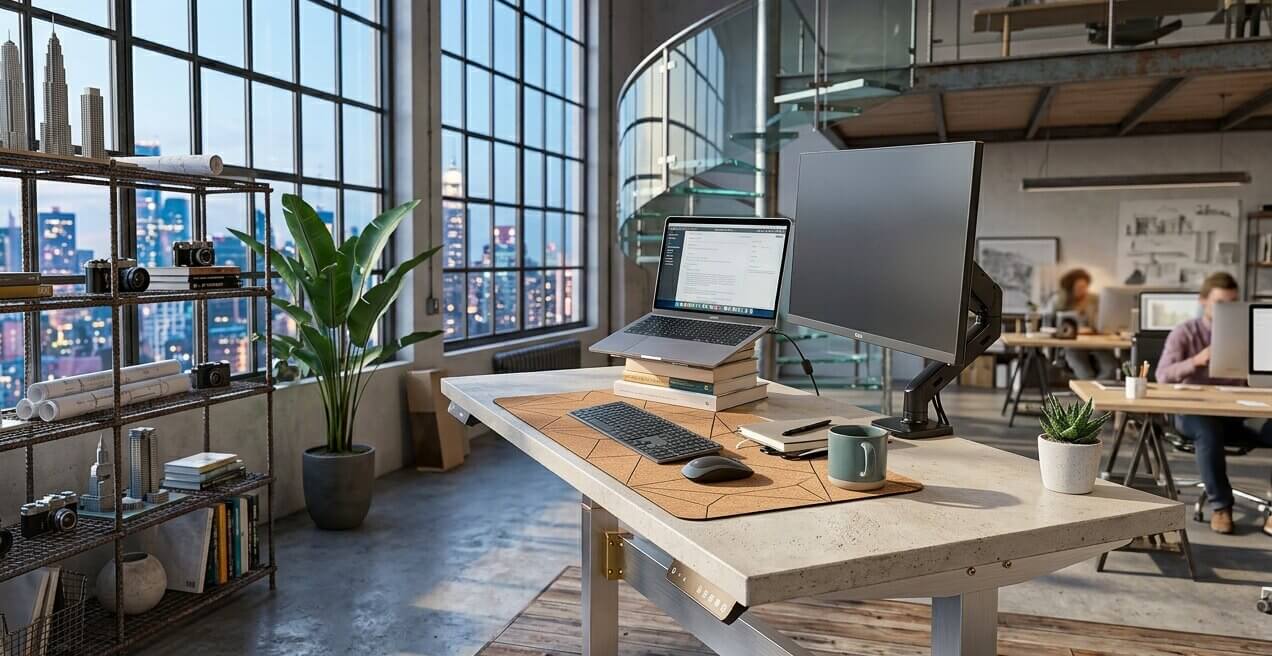
What to do: Set your screen at eye level independently of your keyboard, using a monitor arm or an adjustable riser. This matters even more for laptop users, since the screen and keyboard are fixed at the same height by default.
A monitor arm also makes it easier to reposition your screen each time you switch between sitting and standing. You can buy one here.
4. Skipping an Anti-Fatigue Mat
Standing on a hard floor for extended periods puts unnecessary stress on your feet, knees, and lower back. If you find yourself shifting your weight constantly or feeling worn out after short standing sessions, the floor surface is often the real culprit, not the desk.
The fix: An anti-fatigue mat is a basic part of standing desk ergonomics, not an optional extra. A quality mat provides cushioning and, just as importantly, subtly encourages the small movements that keep blood circulating in your legs. Look for a contoured mat with raised edges, since that shape naturally prompts you to shift your weight.
5. Standing Still Like a Statue
Here’s a mistake even experienced standing desk users make: standing without moving. Standing rigidly in one position is barely better than sitting. The real benefit of standing comes from the small, natural movements your body makes: shifting weight, adjusting posture, engaging your core.
How to stand correctly: Keep things moving. Shift your weight from foot to foot. Use a footrest bar if your desk has one. Put on music or a podcast. These small movements throughout a standing session make a noticeable difference by the end of the day.
6. Poor Posture While Standing
Bad posture at a standing desk is more common than most people realize, and it quietly cancels out the benefits of standing altogether. Locking your knees, jutting your head forward, or letting your hips sway creates the same kind of spinal strain you were trying to escape by leaving your chair.
Standing posture checklist:
- Head level, ears aligned over your shoulders, not pushed forward
- Shoulders relaxed and pulled slightly back, not hunched
- A natural curve in your spine, hips level
- Knees soft, not locked
- Weight distributed evenly across both feet
- Core lightly engaged
Think of it as standing tall rather than standing stiff. Comfortable and upright, not rigid.
7. Forgetting About Your Sitting Posture Too
A standing desk is a sit-stand desk. How you sit matters just as much as how you stand. Many people spend all their effort optimizing the standing setup and completely ignore the seated position, which undercuts half the reason for the upgrade.
How to sit correctly:
- Lower the desk so your elbows stay at 90 degrees when typing
- Sit with your hips pushed to the back of the chair, lower back supported
- Keep feet flat on the floor or on a footrest, legs uncrossed
- Set the screen at or just below eye level
- Keep your eyes roughly 20 to 28 inches from the monitor
A good office chair is worth the investment alongside your standing desk. The two are meant to work together, not compete.
8. Making the Transition Too Quickly
If you go from sitting eight hours a day to standing for several hours immediately, your body will push back with sore feet, tired legs, and aching joints. This is the single biggest reason people give up on a standing desk in the first month, assuming it just doesn’t work for them.
The right approach: Treat it like building any new habit. Start small, add time gradually over a few weeks, and pay attention to how your body responds. Most people settle into a comfortable rhythm within 2 to 4 weeks of consistent use.
9. A Cluttered or Poorly Organized Desk
A desk with tangled cables, items placed at awkward distances, or a keyboard pushed too far back forces you into compensating postures that undo your ergonomic setup. Cable management and desk organization are part of the ergonomic equation, not a separate chore.
What to do: Keep your most used items within easy reach. Your keyboard and mouse should sit close enough that your elbows stay at that 90 degree angle without you reaching. Run cables cleanly so they don’t snag or pull as you raise and lower the desk. A tidy workspace also reduces visual clutter, which keeps your focus sharper through the day.
What Our Installation Team Actually Sees in San Diego Offices
Most of these mistakes have nothing to do with the desk itself. We have installed thousands of sit-stand desks across San Diego, from single home offices to full floors of corporate headquarters, and the pattern repeats: the desk gets ordered online based on a photo, it arrives, and nobody measures anything before it’s placed against the wall.
That’s the part a listicle can’t fix. It’s also the part our 24,000 square foot showroom on Camino Santa Fe, just off Miramar Rd, was built to solve. When you come in for a consultation, our team measures for your actual height, your actual monitor setup, and the way you actually work, before you buy anything. Several of our installers have been with Arenson for more than 20 years, which means they’ve seen every version of “this desk isn’t working right” there is, and most of the time the fix takes five minutes once someone who knows what to look for is standing next to you.
If you want a height adjustable desk that’s built to handle the daily sit-stand cycle without rattling, drifting out of level, or losing its presets after a year, our Ascend height adjustable desks from DeskMakers are a good place to start. The adjustment mechanism is mostly hidden inside the base, so it looks and feels like a normal executive desk while still giving you the full standing desk range underneath. You can browse our full height adjustable desk collection online, or stop by the showroom and we’ll walk through it with you in person.
The Bottom Line
The formula isn’t complicated: alternate regularly between sitting and standing, set your desk and monitor at the right height, keep moving while you stand, and maintain good posture in both positions.
Done right, a standing desk reduces pain, boosts energy, and makes the workday feel noticeably better. Done wrong, it just trades one set of problems for another.
Small, intentional adjustments to how you use your standing desk compound over time. A few changes this week can change how your back and shoulders feel a month from now, both at work and after hours.
If you want help getting your setup right the first time, explore our height adjustable desks or stop by our showroom at 8185 Camino Santa Fe in San Diego. We’ll measure, recommend, and set it up so you’re not guessing.
Frequently Asked Questions
How many hours a day should you stand at a standing desk? Most people do well starting with 1 to 2 hours of standing per day, building up to 3 to 4 hours over a few weeks. Standing for the full workday is not the goal and can cause the same kind of strain as sitting all day.
Is it bad to stand at a desk all day? Yes. Standing in one position for hours puts steady pressure on your joints, lower back, and feet. The benefit of a standing desk comes from alternating between sitting and standing, not from replacing one static position with another.
What is the correct standing desk height? Your elbows should sit at roughly a 90 degree angle with your forearms parallel to the floor, and your monitor should sit at or just below eye level, about 20 to 28 inches from your face.
Do I really need an anti-fatigue mat? If you’re standing on hard flooring, yes. A contoured anti-fatigue mat reduces pressure on your feet and knees and encourages the small weight shifts that keep your legs from feeling stiff.
How long does it take to get used to a standing desk? Most people find a comfortable rhythm within 2 to 4 weeks, as long as they build up standing time gradually instead of trying to stand for hours on the first day.
Where can I get my standing desk setup checked in person? If you’re in San Diego, you’re welcome to bring your questions to our showroom at 8807 Clairemont Mesa Blvd. Our team has been fitting offices and home workspaces with ergonomic furniture since 1975.
LATEST POSTS
How to Adjust Your Office Chair (Step by Step)
September 5th, 2026 | Office Furniture Blog
Most people set their chair height once on day one and never touch another lever. That’s a shame, because a good ergonomic chair has five or six adjustments, and each one is doing a specific job. Get them in the right order and the chair starts holding you up instead of the other way around….
Read MoreBreakroom & Employee Lounge Furniture Ideas That Support Retention
August 10th, 2026 | Office Furniture Blog
Most companies treat the breakroom as an afterthought. A fridge, a folding table, a few mismatched chairs, done. But the breakroom is one of the only spaces in the office where employees are not performing for anyone. That makes it one of the most honest signals of how a company actually treats its people, and…
Read MoreLaw Office Furniture: Essential Pieces for a Professional Practice
July 27th, 2026 | Office Furniture Blog
Clients judge a law firm before an attorney ever says a word. The reception desk, the conference table, the chair a client sits in while discussing a divorce or a lawsuit: every piece sends a signal about competence, discretion, and trust. For a legal practice, furniture isn’t decor. It’s part of the case for hiring…
Read More